
Previously, if an instrument's output folder went missing, the ingestor kept showing as LIVE while nothing was actually being watched, and new data could go uningested for days before anyone noticed. The on-prem agent now reports folder-watch problems right away.
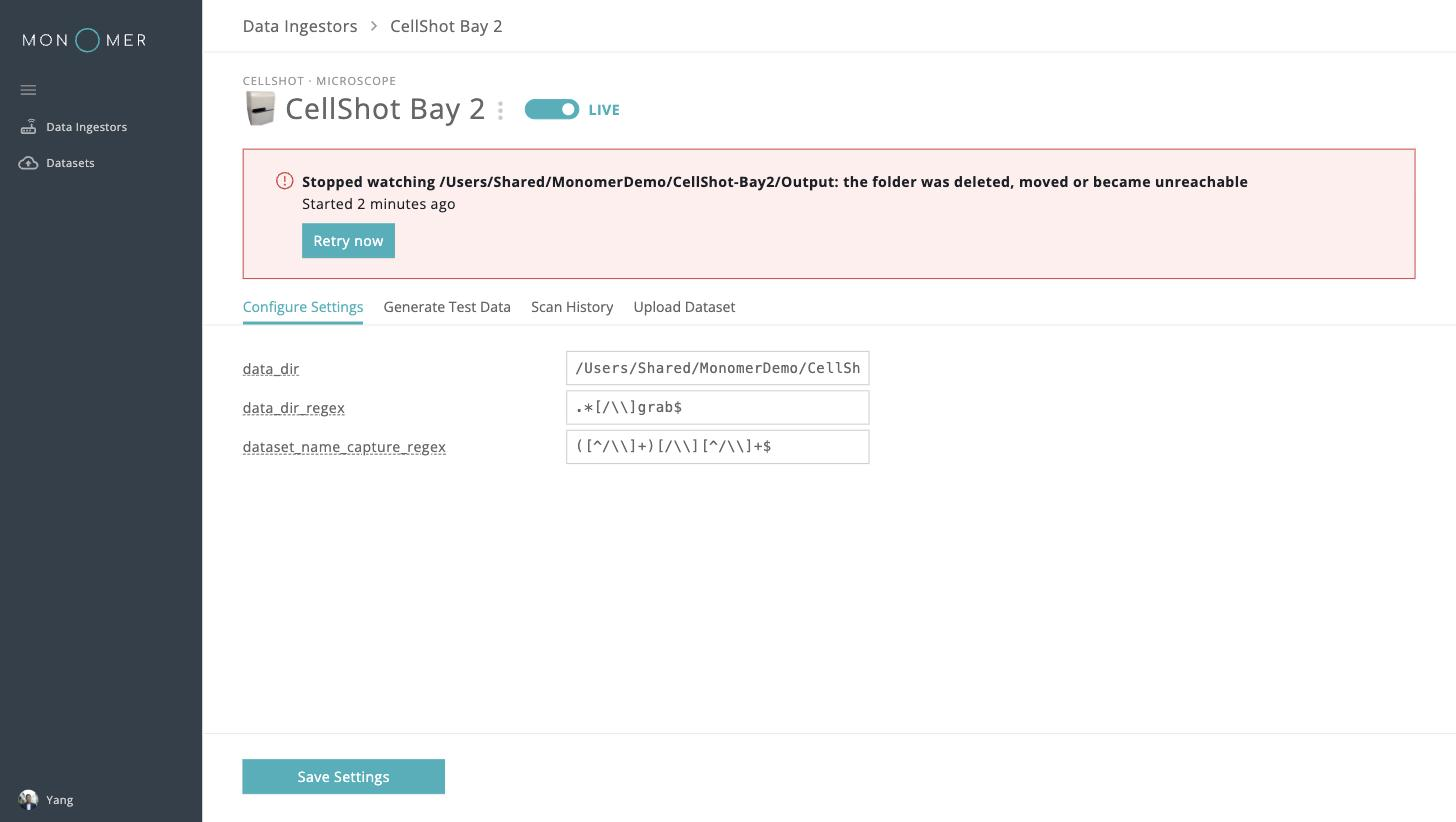
A banner on every on-prem page says when data ingestion needs attention, naming the ingestor, the folder, and how long it has been failing. The Data Ingestors table shows a "Watcher error" pill next to the ingestor's status, and the ingestor's own page shows the fault with a Retry now button, so you can restart watching as soon as the folder is back. Manual upload and Scan History stay available while a fault is showing.
Once an ingestor recovers, a note asks you to review Scan History, with a link that opens it from the start of the outage, since files may have been missed. An ingestor left in an error state also resumes watching when the agent restarts.
