
The cultures page now supports filtering by confluence percentage range, letting you quickly isolate cultures within a specific confluence window. Enter minimum and maximum percentage values in the range modal, and the filter pill displays your active range (e.g., "Confluence ≥ 30%") so it's always clear what's applied. This is built on a reusable number-range filter operator, so additional numeric filters can follow the same pattern in the future.
Image classification culture reviews now include a formal approval workflow. Reviewers can approve or reject pending reviews directly from the plate and well views, and culture status automatically updates on approval — no manual status change needed.
Scientists can now reclaim screen space while reviewing images by resizing or fully hiding the metadata sidebar — and still jump to any sidebar tab instantly via icon click.
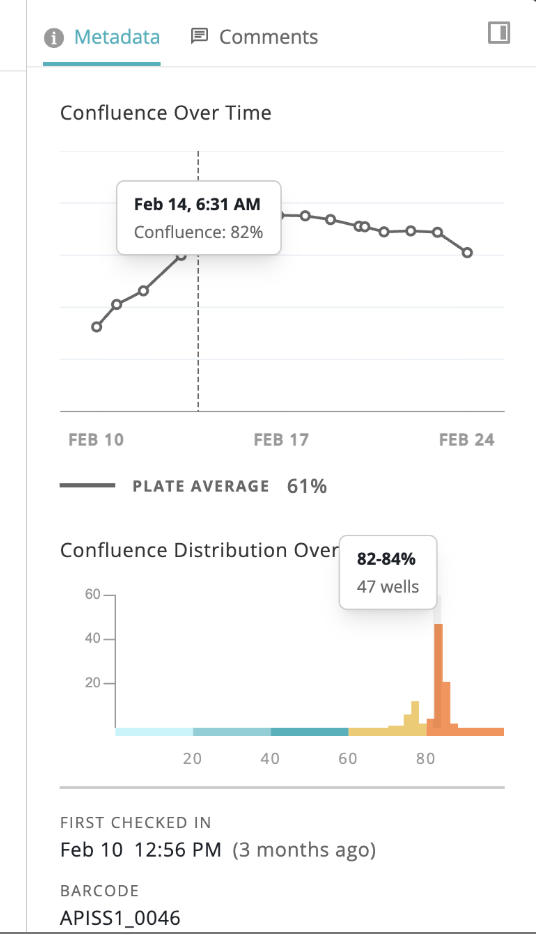
Resize or Hide the Sidebar: Drag the sidebar to any width or collapse it completely. The main image expands to fill the freed space.
Resizable Graphs: Charts like Confluence Over Time and Confluence Distribution automatically reflow as the sidebar resizes. Additional tooltips surface inline data points (e.g. Feb 14, 6:31 AM — Confluence: 826).
Scroll for More Tabs: When the sidebar is narrow, the tab bar scrolls horizontally so no tabs are lost.
Quick Icon Navigation: In collapsed mode, clicking a sidebar icon (Metadata, Comments, etc.) expands directly to that tab — no extra click required.
Users now have a dedicated Account page to manage their identity and credentials without contacting an admin.
New Settings Page: The Account page (accessible from the user menu) consolidates name, email display, avatar, and password controls.
Reset Password by Email: Clicking "Send Password Reset Email" triggers a secure reset link to the user's registered address — passwords are never set inline.

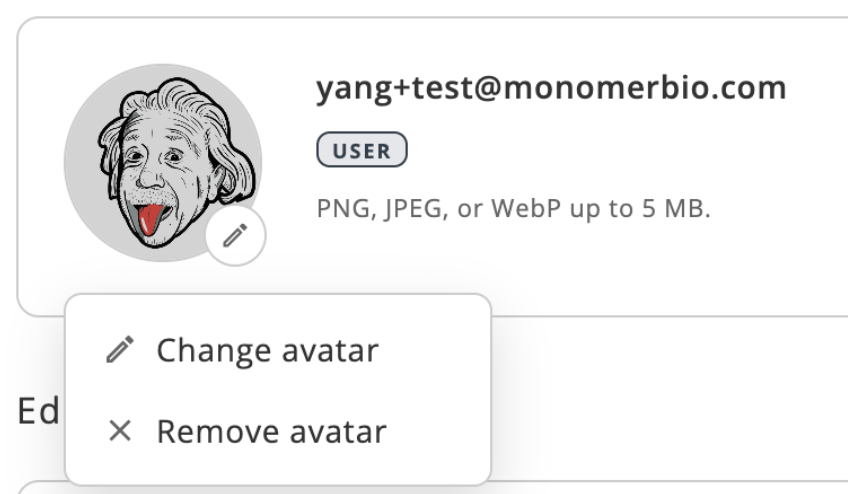
Manage Your Photo: Upload a new avatar (PNG, JPEG, or WebP up to 5 MB) or remove the current one via the avatar context menu (Change avatar / Remove avatar).
Tooltips across line graphs, histograms, and collapsible sidebars reworked for consistent, reliable behavior
New instrument type now recognized and displayed in instrument metadata
Faster hover response and reduced visual glitches on plate sidebar in Safari
Classification results now support soft delete for cleaner data curation
