
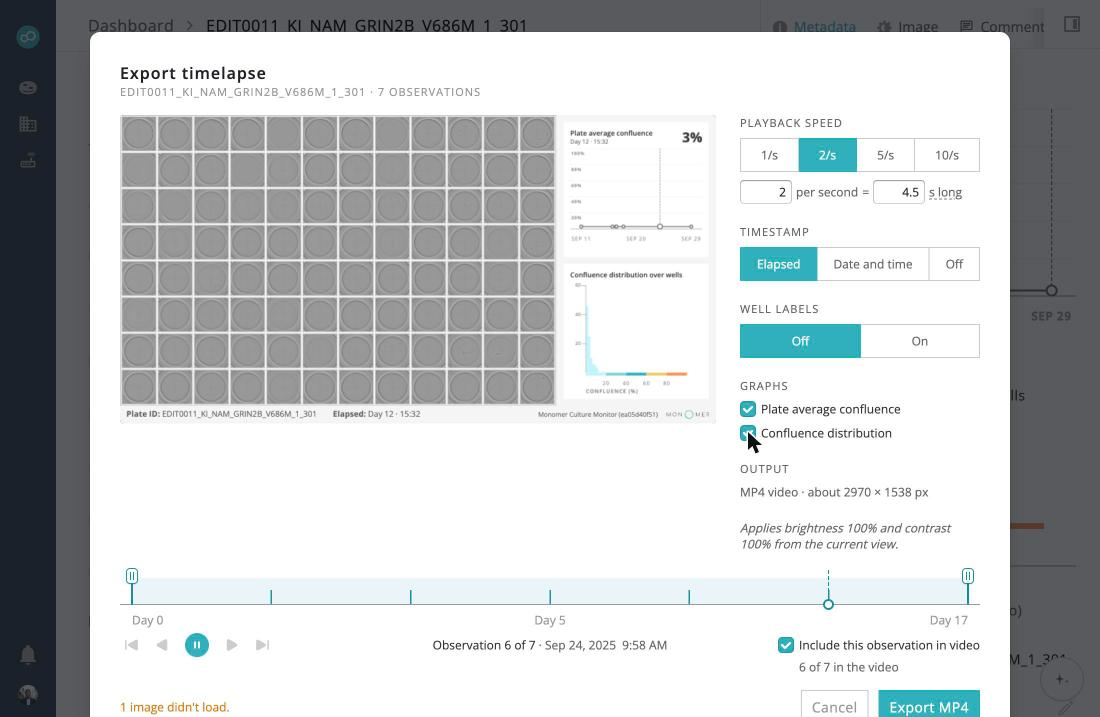
The plate export dialog has a new Graphs section, off by default and shown only for plates with confluence data. Pick the plate-average line over the whole run, with a marker at the current frame, the current observation's per-well histogram, or both. They appear beside the plate grid in the preview and in the MP4. Exports with graphs take longer while each frame's graphs are drawn. Plate exports now start on the Elapsed timestamp, and the line graph in the Culture Status overlay shows its y-axis labels again.
Click the pencil in Recent chats, or click the title in the panel header, to rename a conversation. Your title is kept when the Assistant generates titles later, and long titles show in full when you hover. A new conversation's generated title now appears a few seconds after the first reply instead of after you reopen it.
Select wells on the plate and choose Export timelapse to get one MP4 per well, instead of exporting from each well page in turn. The dialog names the selected wells as ranges, such as A1–C12, and the timeline's observation choice applies to every well. One progress toast tracks the batch and lets you cancel.

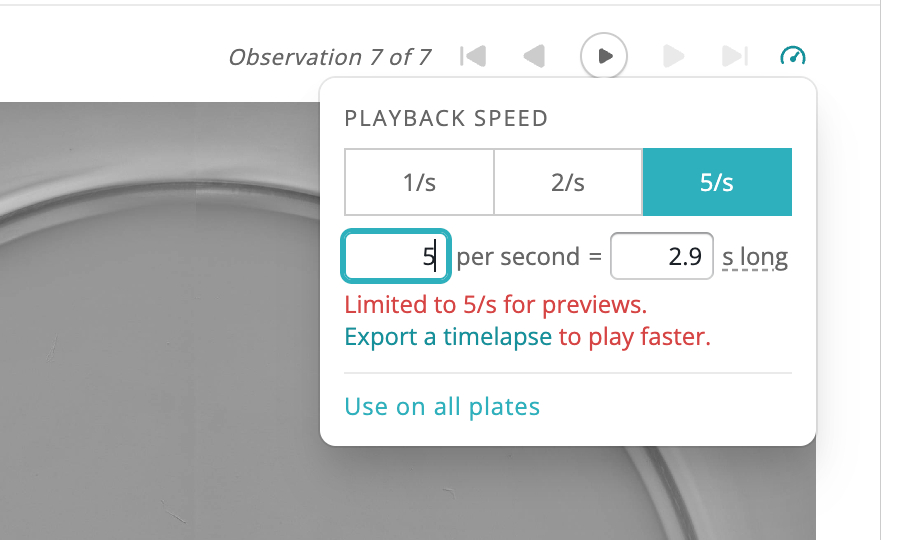
A new speed button in the plate and well observation toolbars controls how fast observations play, up to 5 per second. The speed is saved for each plate, or you can use it for all plates. For faster playback, the timelapse export plays faster without that limit.
When you attach a CSV to the Assistant, it previews the import and shows a card that opens the import page with your file and the proposed column mapping already filled in. You review each culture's current and new values on the import page before anything changes.
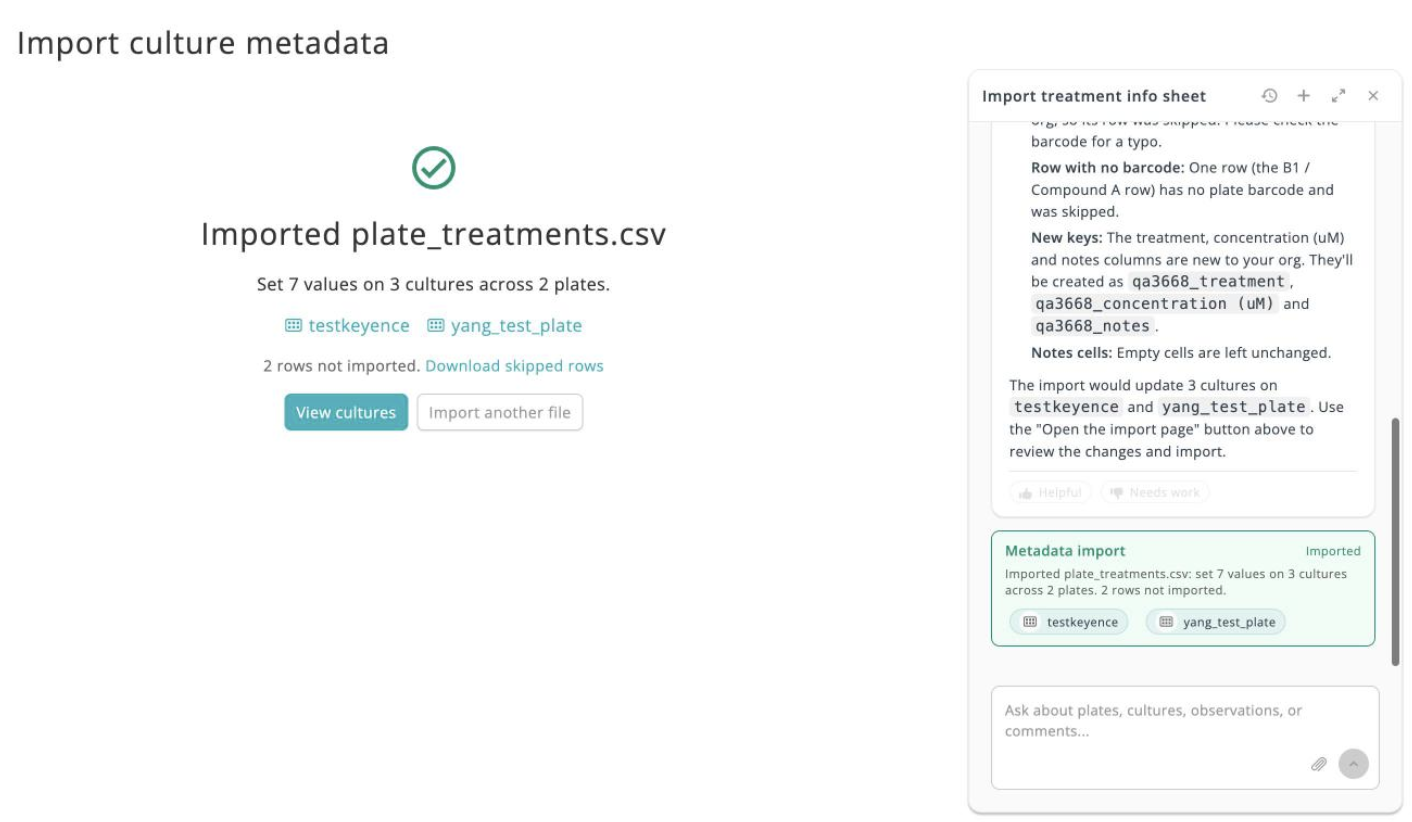
Once the import finishes, a result card with plate links is posted back to the conversation, so you can keep working from it.
The Cultures queue tray stays open after classification runs finish and lists each outcome as Classified, Partial or Failed.
Requests to write a report in Japanese now return a structured report with observation data and plate images.
Starter questions on plate and culture pages now ask about what you're looking at, and a generated question appears on more pages.
Search, Cultures, the Monitor dashboard and notifications start loading the next page before you reach the end of the list.
Stepping through wells in one direction shows the loading skeleton less often, most noticeably in Tokyo.
Log In now opens your default browser, so you can use Back, switch accounts, and sign in with Google without restarting the agent.
CQ3000 datasets with a timestamp-prefixed experiment name now use the rest of the name as the plate name, and the timestamp as the dataset date.
Saving a nest or safe location now asks for confirmation before replacing a taught position, and controls stay busy until each move and position refresh finish.
A redesigned jog control, plus grip and release widths remembered for each instrument.
Search entries are now checked and repaired hourly, so plates and cultures no longer go missing from search results.
Date filters now sit under one Dates menu, rows with a filter set show a count, and filters your organization has no data for stay hidden.
The Cultures page lists up to 200 matching plates instead of 50, and results stay current after bulk edits, copies and archiving.
