
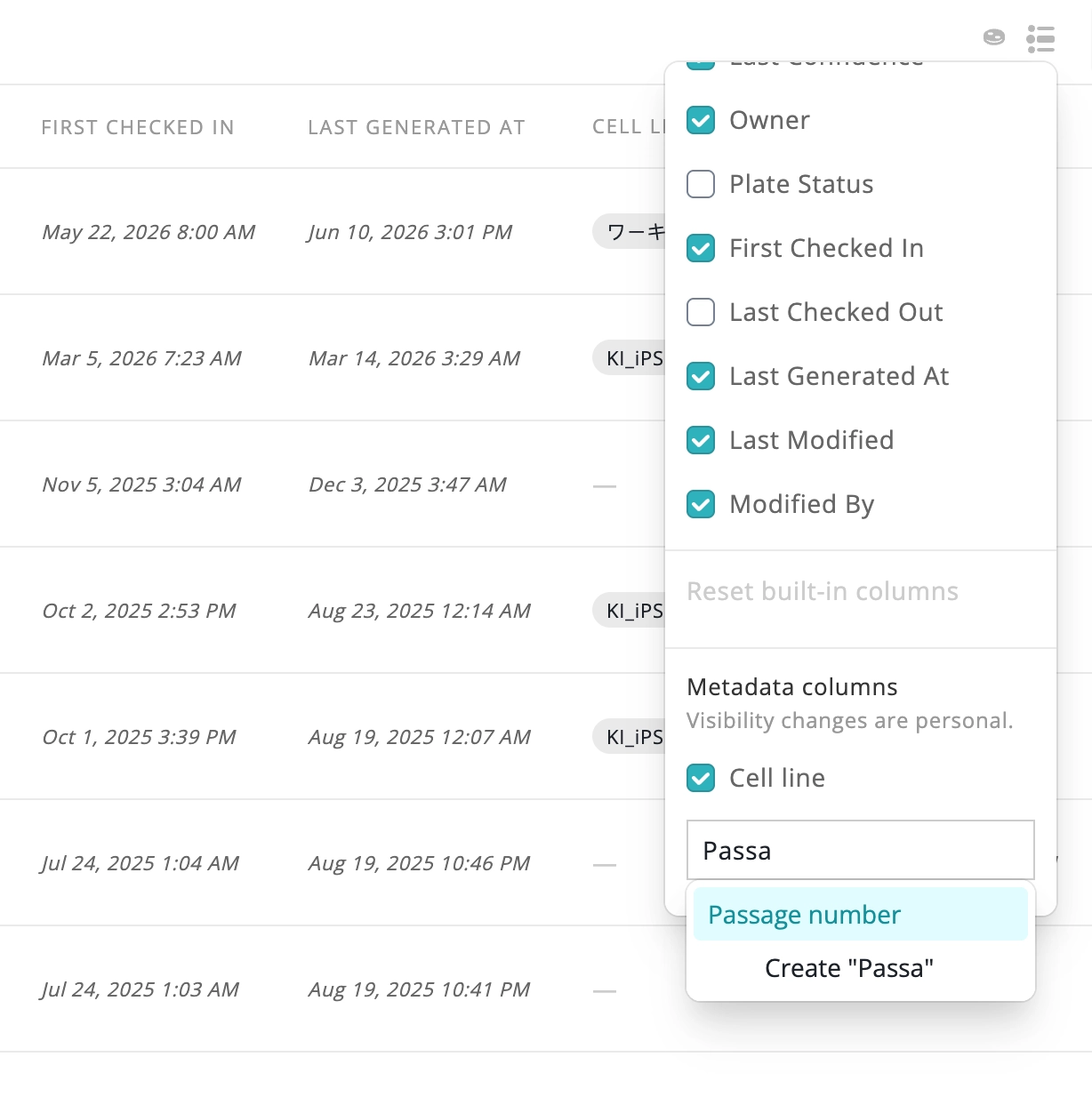
The Cultures Page can now show custom metadata as table columns, alongside the built-in fields you already track. Add any custom key from your organization's metadata as a column, and its values are aggregated across each plate's cultures automatically. Use the new columns picker to choose which columns show for you personally, without changing what others see on a shared view.
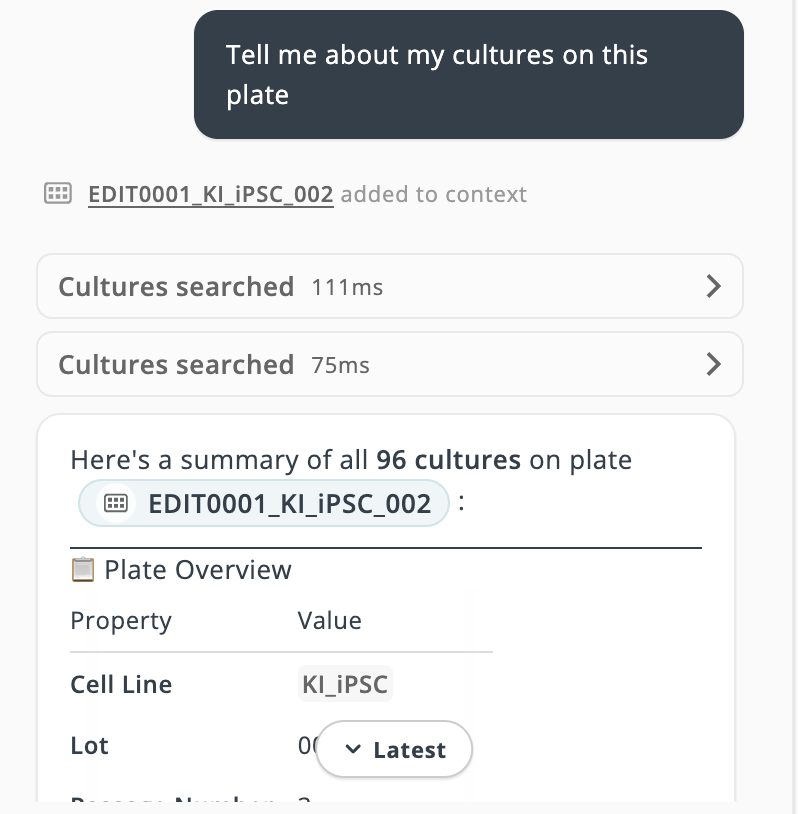
The AI Assistant chat no longer jumps around while a response streams in. Sending a message now pins your turn near the top of the view, and the chat only auto-follows new content when you're already caught up to the latest message. If you've scrolled away, a "Latest" pill appears so you can jump back to new replies whenever you're ready.
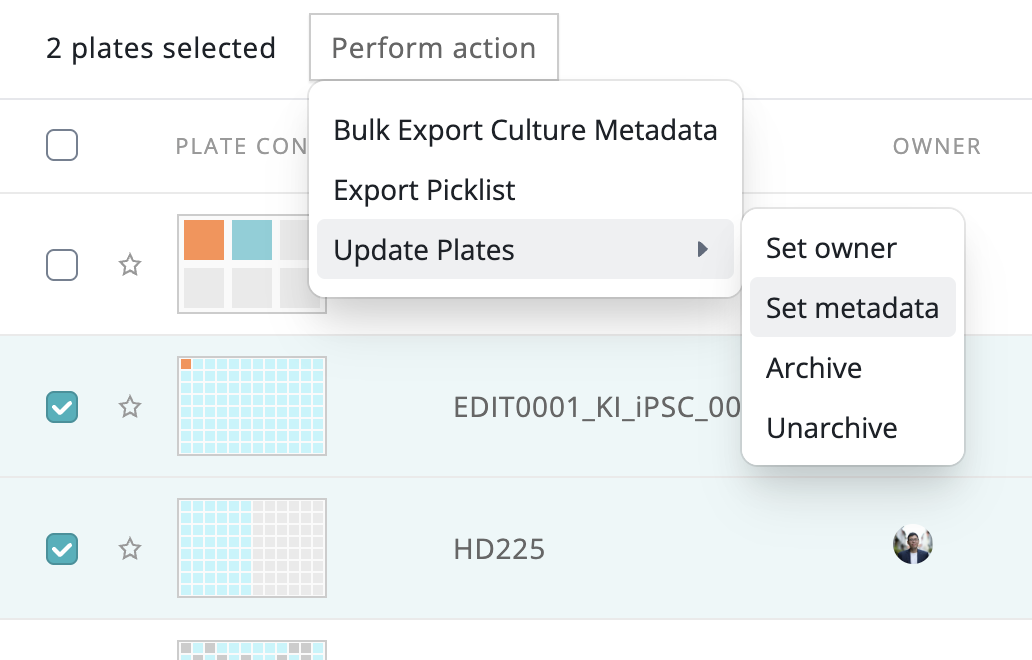
You can now update cell line, cell line lot, passage number, and custom key/value metadata for many cultures or wells in a single action from the Cultures Page, instead of editing them one at a time.
A new combobox for entering custom metadata keys suggests existing keys as you type, and updates merge with existing metadata instead of overwriting it.
Note that bulk deletion of metadata isn't supported yet.
Clicking anywhere on a culture row's padding or plate thumbnail now opens the plate, not just the cell links.
On-prem sync now retries automatically through transient database conflicts and processes large batches faster, reducing sync failures for remote deployments.
Combined common Cytation functions to be used across our various stacks.
Keyence metadata parsing now recognizes more stage-holder naming patterns to reliably determine plate format, with clearer errors when a holder isn't recognized.
