
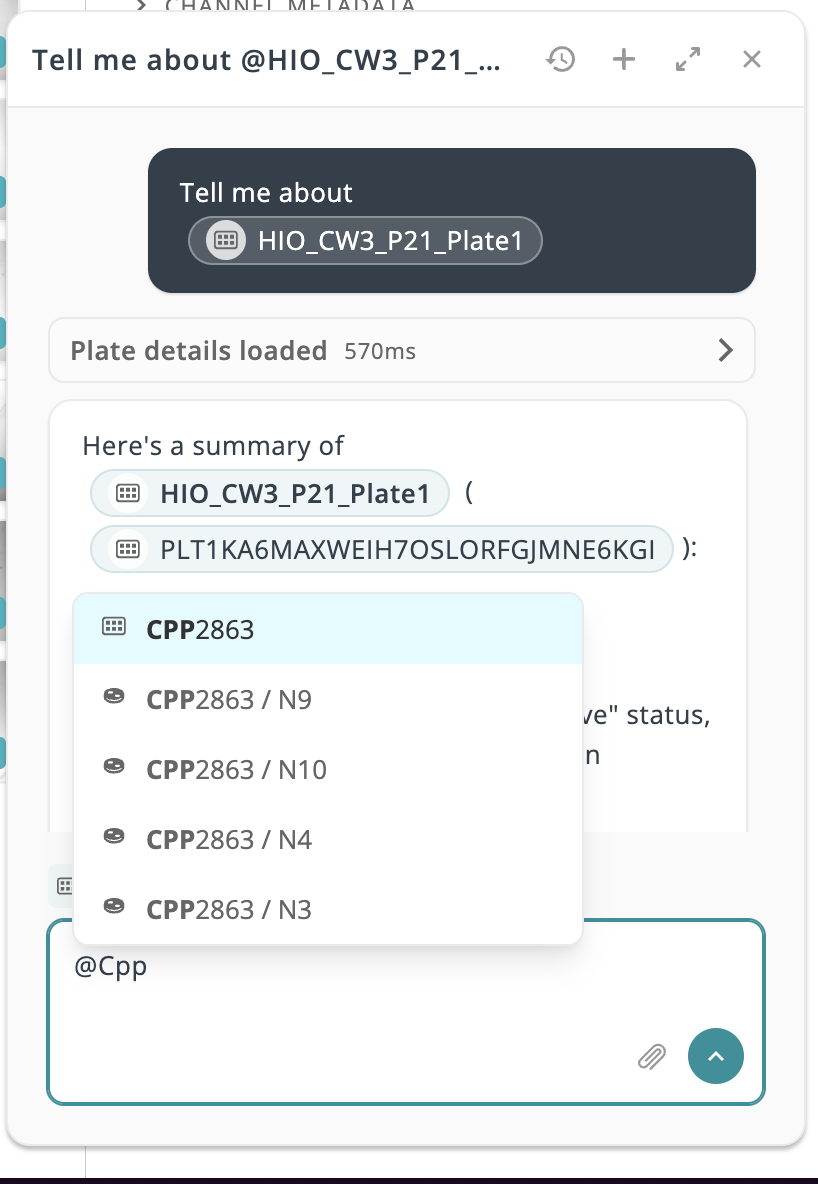
Asking the Assistant about a specific plate meant spelling out its barcode and hoping it found the right match. Now you can type @ in the composer to search for plates and cultures by name, then select one to insert it directly into your message.
CQ3000 organoid segmentation results now flow from the instrument directly into the well page. Area, diameter, circularity, and anisometry measurements are ingested automatically and graphed per well, so you can track object-level detail over time without leaving Monitor.

Assistant-generated plate reports now show cell line, passage, and status for every well, and picklist-based reports cover only the wells you selected.
Line graph tooltips now stay correctly positioned while you scroll, resize, or change chart layouts.
Searching a plate barcode now reliably surfaces that plate as the top result.
An expired session now takes you straight to the login screen instead of a failed request first, and no longer signs you out of connected SSO.
