
Archived plates no longer crowd the Cultures page. They are hidden by default, and a line under the table says how many archived plates also match, with a link to include them. The Filter menu's Archived plates item lets you hide archived plates, include them, or show only archived plates.
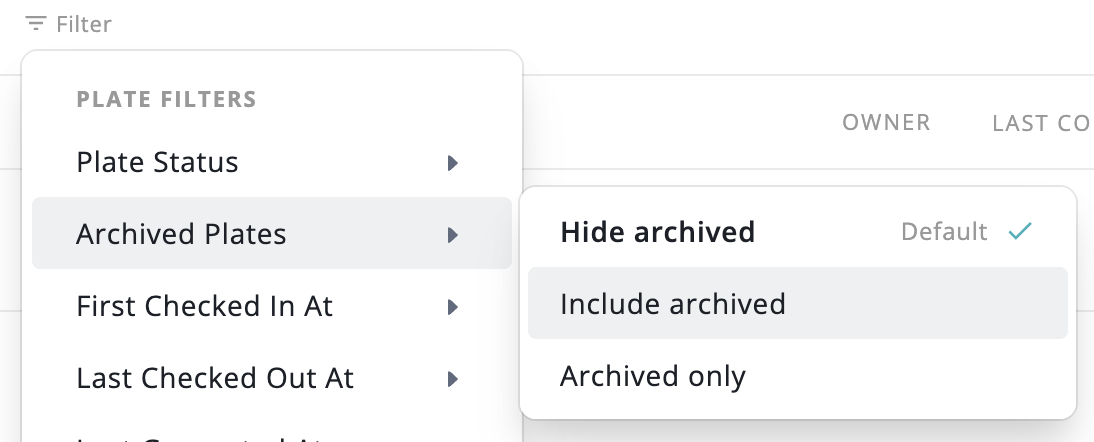
Saved views without an archived filter stop showing archived plates, and their dashboard alert counts leave them out. Views with an archived filter keep their meaning. Archiving or unarchiving plates now shows a confirmation with a 10-second Undo. The Assistant's filtered plate and culture listings and CSV exports follow the same default.
Date filters on the Cultures page used to store fixed dates, so a saved view of "imaged since Sep 14" never moved forward. Date fields now offer rolling presets such as "Last 30 days" and "More than 90 days ago", each showing how many plates it would match. A custom form accepts any number of hours, days, weeks or months.

Views that use a rolling filter update on their own every time they run, so you can keep a view of recently active plates without editing it. Views saved with fixed dates keep working as before. The Assistant's plate and culture tools accept the same rolling filters.
Timelapse exports are no longer limited to four fixed speeds. The export dialog now has two linked fields, observations per second and total video length in seconds, so you can fit a video to a set slot such as a talk. Editing one field updates the other, and picking a preset fills both.
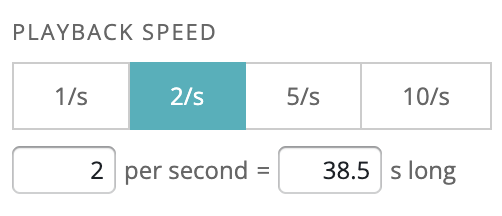
Speeds run from 0.1 to 25 observations per second, and the video length you type is the length you get.
The queue tray on the Cultures page now has separate tabs for classification runs and FFT filter runs. The FFT tab shows each run's status, submission time, submitter and image-processing progress.
Plates imaged in several channels, such as brightfield and phase contrast, now open on the first channel instead of interleaving every channel in the pager. Choose "All channels" or any mix from the channel filter, and your choice carries between the plate and its wells.

The culture lineage on the well page follows the same selection, so each strip shows only the channels you are reviewing. Links that point to a specific image still open on that image's channel.
Previously, if an instrument's output folder went missing, the ingestor kept showing as LIVE while nothing was actually being watched, and new data could go uningested for days before anyone noticed. The on-prem agent now reports folder-watch problems right away.
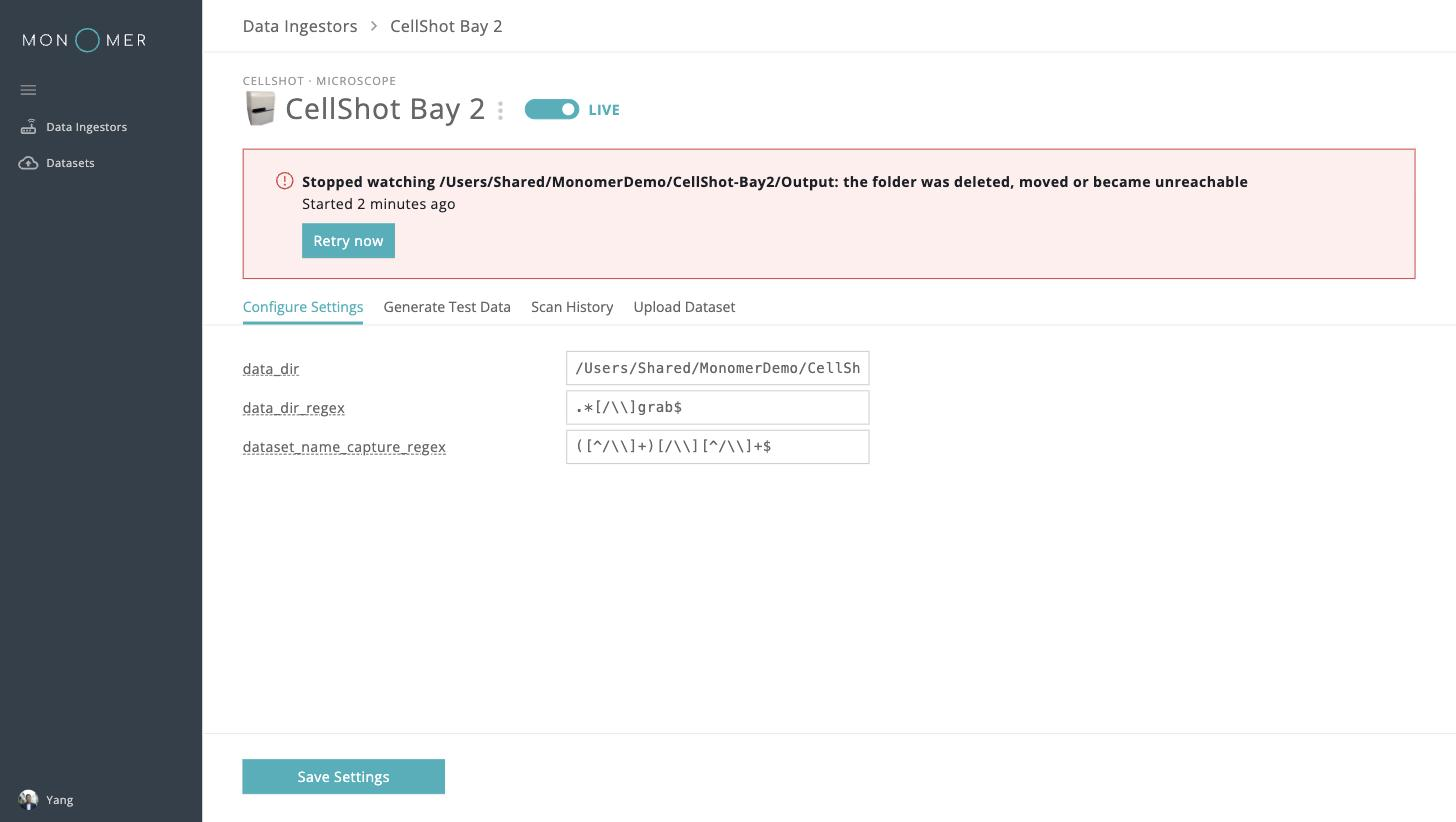
A banner on every on-prem page says when data ingestion needs attention, naming the ingestor, the folder, and how long it has been failing. The Data Ingestors table shows a "Watcher error" pill next to the ingestor's status, and the ingestor's own page shows the fault with a Retry now button, so you can restart watching as soon as the folder is back. Manual upload and Scan History stay available while a fault is showing.
Once an ingestor recovers, a note asks you to review Scan History, with a link that opens it from the start of the outage, since files may have been missed. An ingestor left in an error state also resumes watching when the agent restarts.
When the Assistant proposes a change to your data, the approval card now shows the change in full instead of a one-line summary. You see the complete comment, every metadata value (with cleared keys marked), and for a CSV import the column mapping, counts, skipped rows and every resolved change.
After you decide, the card shrinks to a one-line summary such as "Saved" or "Not saved". If a CSV import would resolve differently when it runs than what you approved, it is refused instead of applied. A change too large to review on one card is declined up front with a request to split it.
Stepping between wells loads the next page sooner, and Save as representative and Download no longer flicker while the next image loads.
Lineage frames are labelled from capture time, to the minute, instead of showing "Day 0, Hour 0" on imported data.
Large images and PDFs are sent to the Assistant instead of refused, and attaching several files at once no longer fails.
Stepping through a well's observations waits on the network less, especially with the FFT filter on.
Retrying a cancelled or partially uploaded multi-channel dataset now reuses the existing dataset instead of creating a duplicate.
Attachments the Assistant only partly read now say which limit applied. Long conversations show where answers start relying on a summary of earlier messages.
Plate and well views show a "preparing" state while a filtered (FFT) image is generated, and an error with retry if it fails.
Compact view now works on any 96- or 384-well plate with an empty row or column, and wide or tall grids resize to fit.
Assistant answers, reports and plate comments no longer load images from other websites, and external links show where they go.
