
Image classification culture reviews now display a suggested culture status alongside the current status, showing the state transition at a glance (e.g., "Growing → Confluent"). This makes it easy for reviewers to see exactly what the model recommends changing before making their approval decision. The suggestions appear in an enhanced omnibar UI that surfaces the machine-predicted labels without requiring extra clicks.
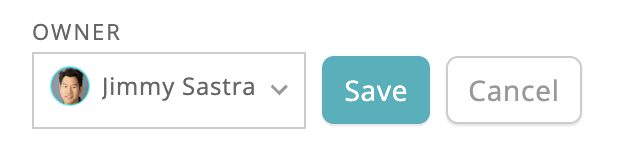
Plate owners can now be assigned and updated directly from the plate page in cloud Monitor. An inline edit toggle lets you select a team member, with save and cancel controls to prevent accidental changes. Owner updates are recorded as audit events, so there's a clear history of who changed ownership and when. This won't conflict with on-prem agent workflows — the agent only sets plate owner on initial plate creation.
Bulk export now supports culture-level filters so you can export only the data you need. The export dialog inherits whatever filters you've already set on the cultures page — cell line, cell line lot, passage number, and any custom metadata fields — so there's no need to re-specify criteria. The backend dynamically advertises which filters each export type supports, and the UI adapts accordingly.
Cultures can now be filtered by cell concentration (cells/mL), making it faster to find cultures that meet specific density thresholds. Set lower and upper bounds directly from the cultures page filter bar to define a concentration range. Cultures without concentration data are automatically excluded from filtered results, so you only see entries with meaningful measurements.
The cultures table previously showed around 10 columns totalling ~1600px, forcing horizontal scroll on common laptop widths and crowding everything even on wide monitors. Users had no way to hide low-value columns like multiple timestamp fields when only one mattered to them.
Filter plate channels by type for targeted image analysis
Classification run status now updates reliably, including on timeout scenarios
Smoother montage navigation and more reliable chart tooltips across well views
Cell concentration and confluence histograms are now aligned with clearer axis labels
Highlight wells by their classification type for faster visual review
Track who last modified a plate and when, with full filter support
